
무료
매월 7시간 무료. 모든 기능을 사용할 수 있습니다.
전문 용어 하나도 놓치지 않는
가장 빠르고 정확한 번역 엔진
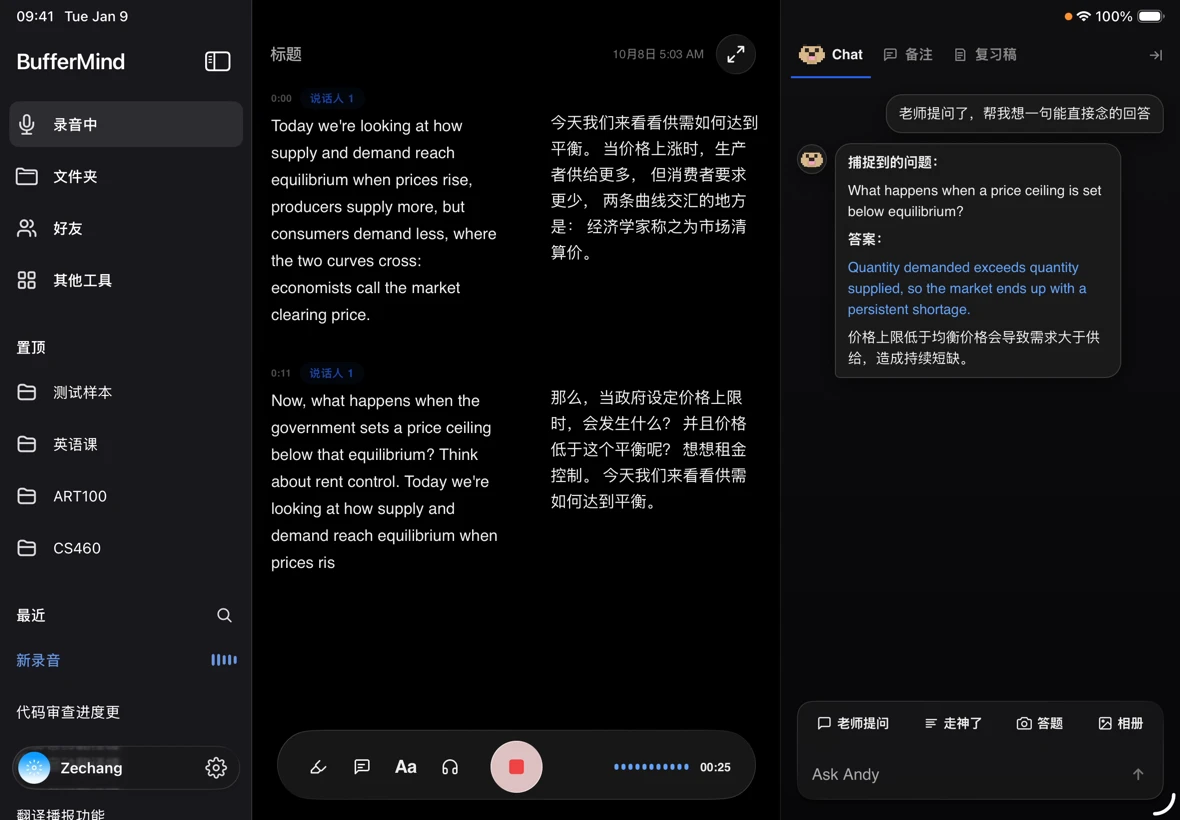
지목됐어요?
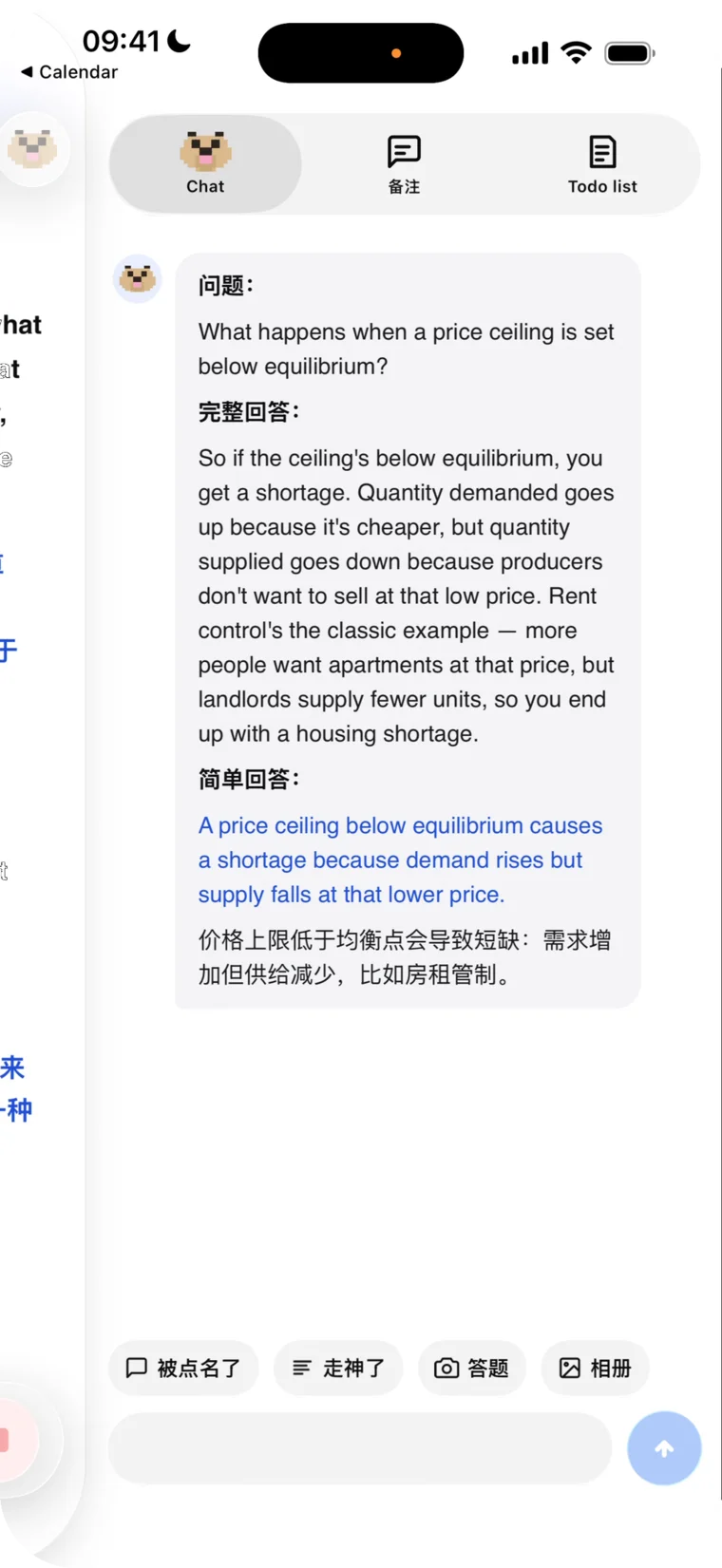
Claude가 한 문장으로 받아줘요
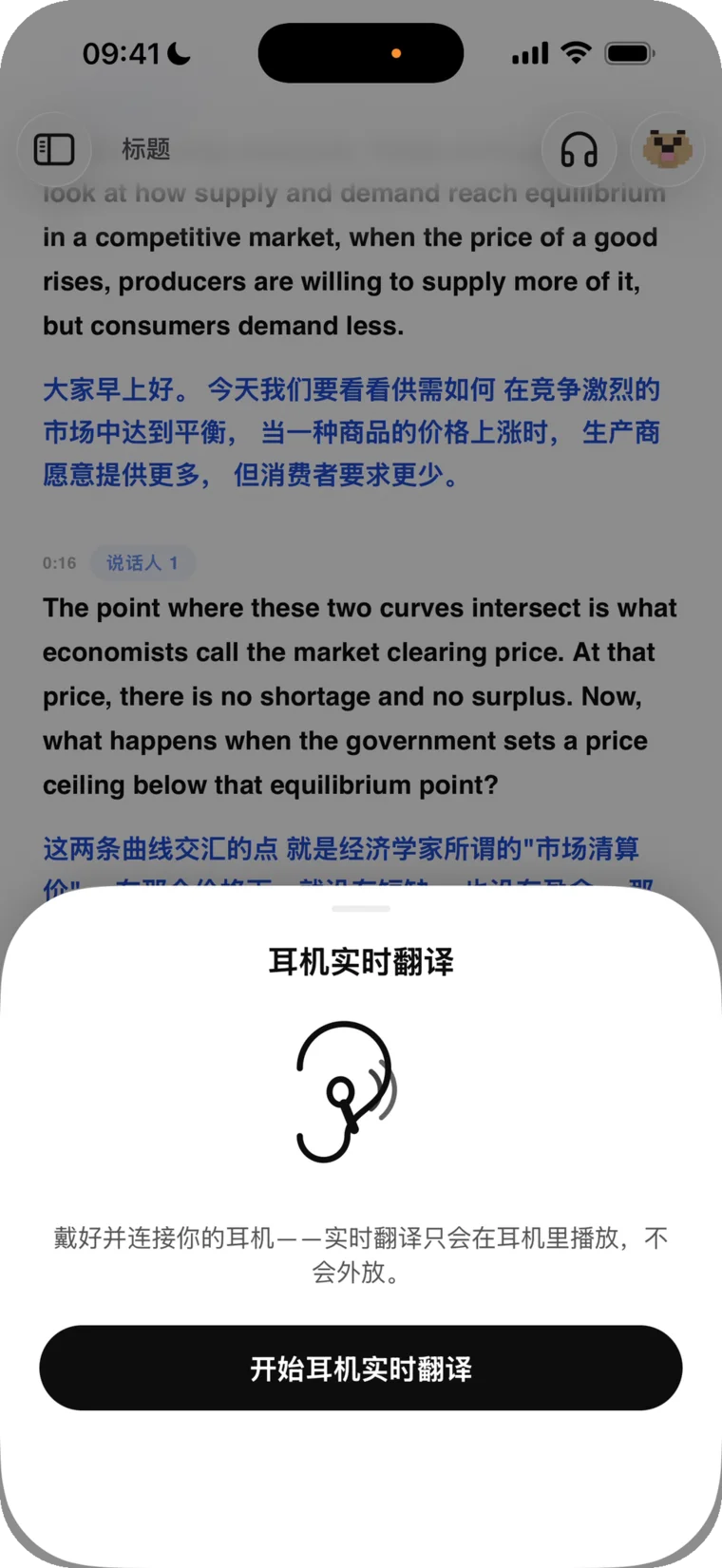
이어폰 실시간 번역
녹음 정리도 손쉽게
어떤 언어든 오디오를 재생해 보세요 — 얼마나 빠른지 바로 알 수 있습니다.
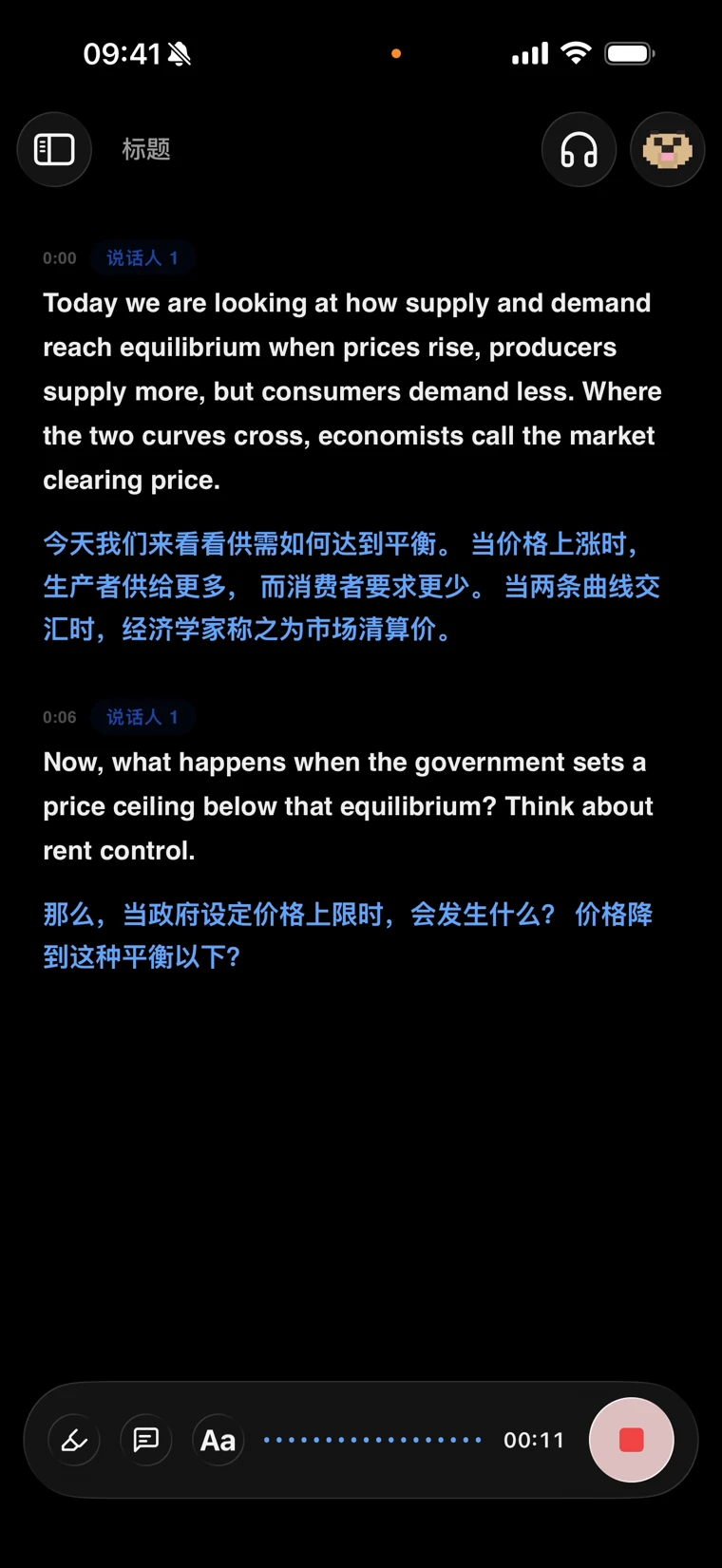
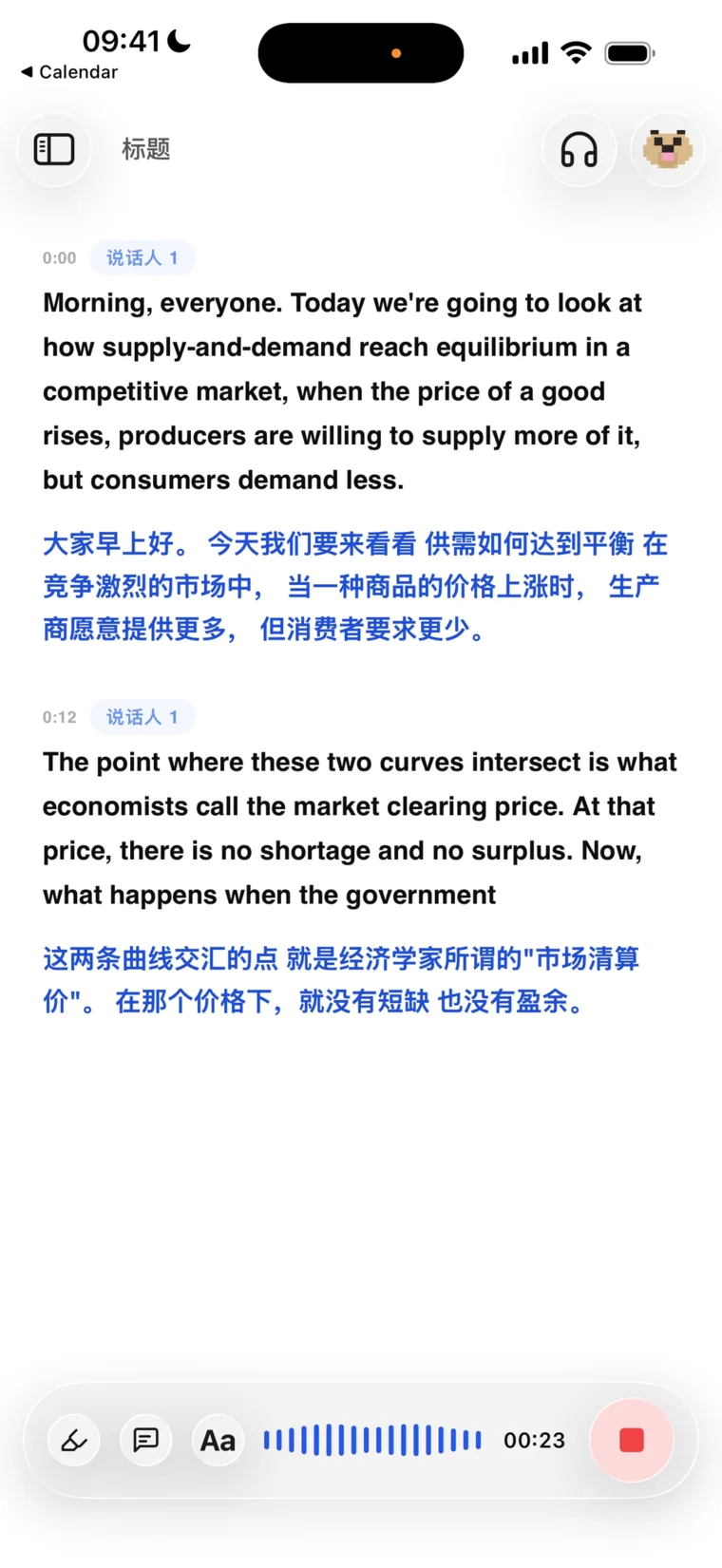
BufferMind의 음성 엔진은 독립 정확도 벤치마크에서 세계 1위입니다. 말하는 순간 원문이 화면에 뜨고, 번역은 약 1초 만에 따라옵니다. 억양, 빠른 말, 언어 섞임도 문제없습니다.
AI 튜터 Andy는 Anthropic의 Claude Sonnet·Claude Opus와 OpenAI의 GPT-6로 구동됩니다. 요약, 답변, 노트 뒤에 수업을 진짜로 이해하는 지능이 있습니다.
이어폰을 끼면 번역을 실시간으로 읽어 줍니다. 소리는 이어폰에서만 나오고 밖으로 새지 않아요. 전속 통역사를 데리고 다니는 느낌입니다.
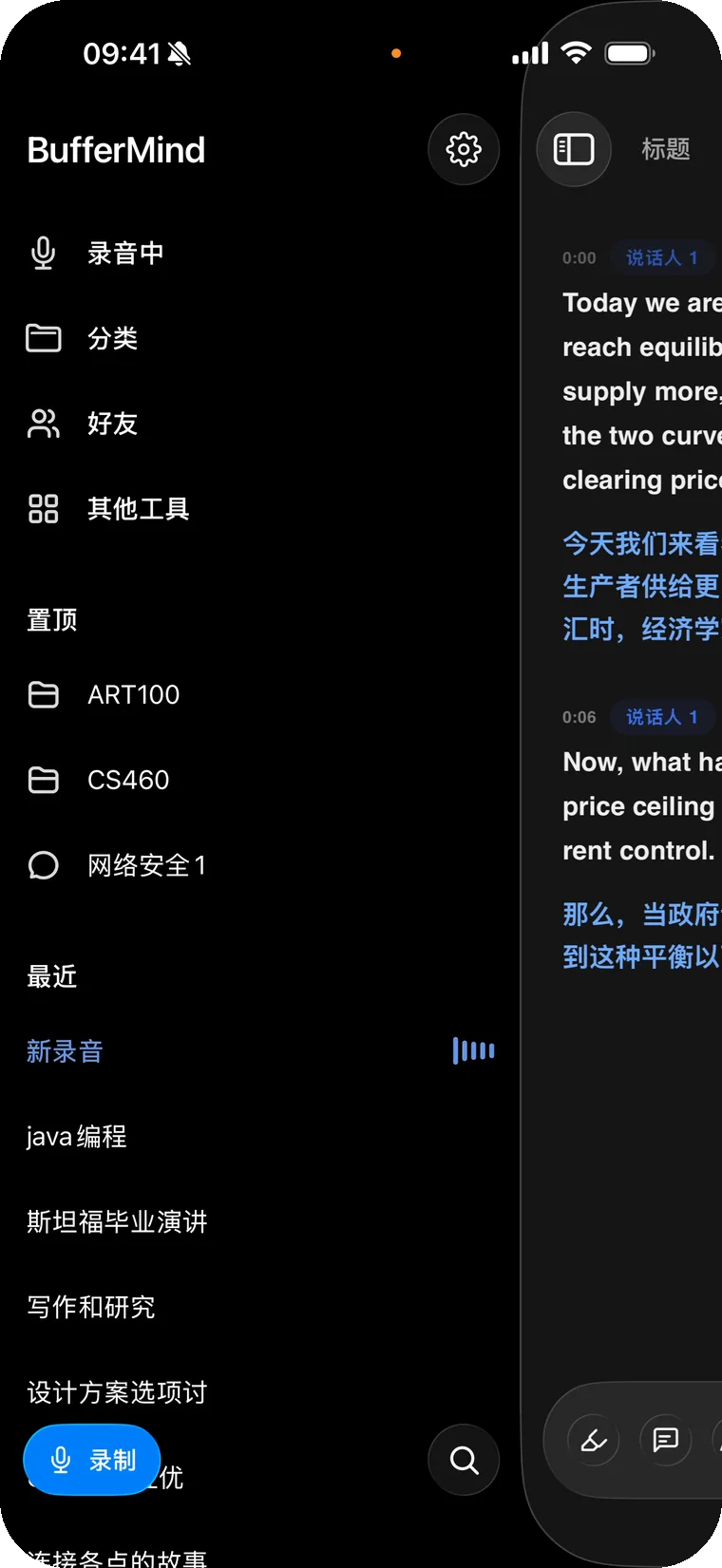
폰으로 녹음하고 Mac이나 웹에서 이어 보세요. 모든 세션이 자동으로 동기화됩니다. 녹음 중에도 실시간 업로드되니, 배터리가 꺼지거나 앱이 튕겨도 녹음은 사라지지 않습니다.
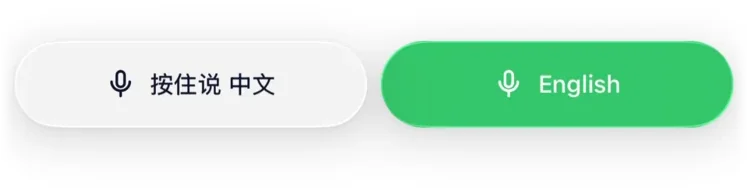
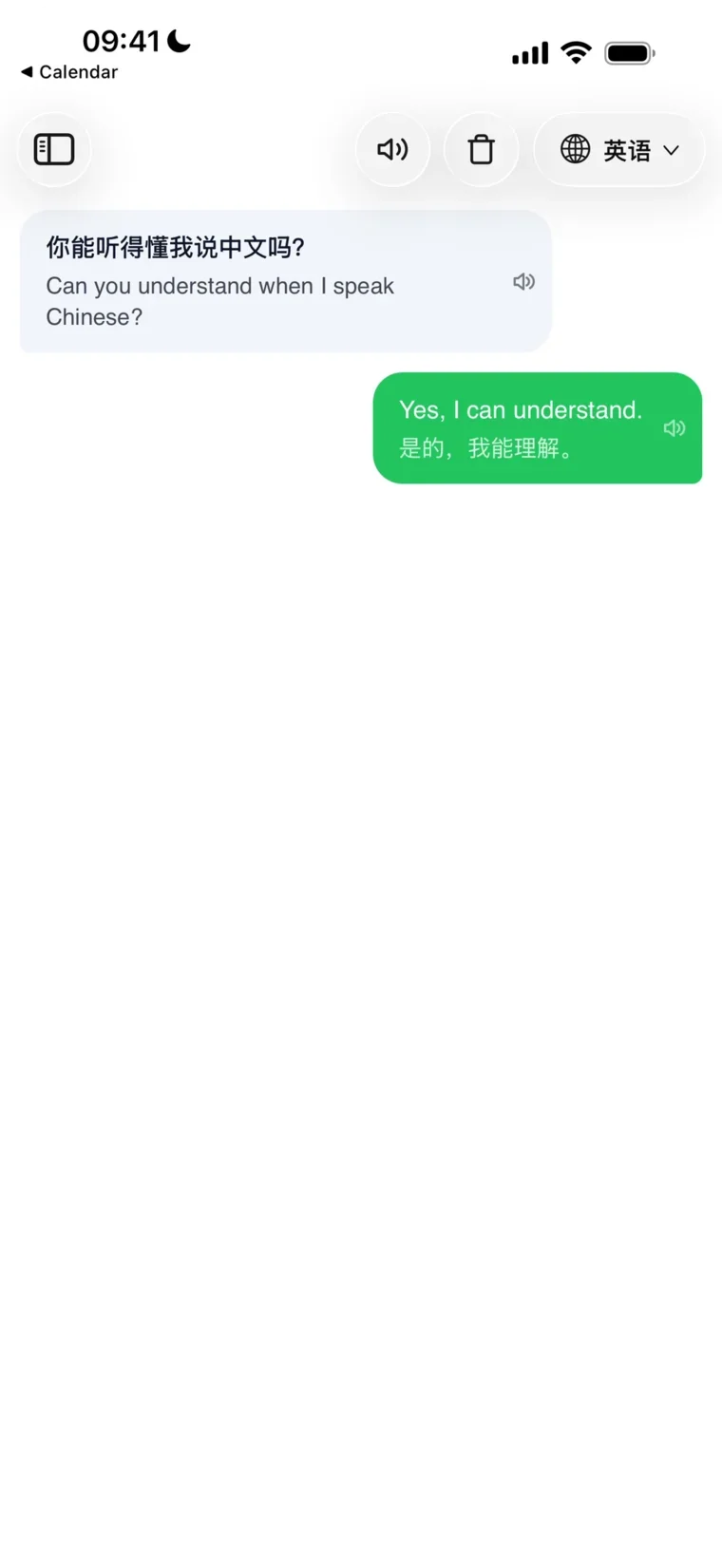
얼굴을 마주한 대화를 위한 기능: 각자 버튼을 누르고 자기 언어로 말하면 번역이 바로 화면에 뜨고 소리로도 나옵니다. 여행에서도, 처음 만난 사이에도 바로 대화.
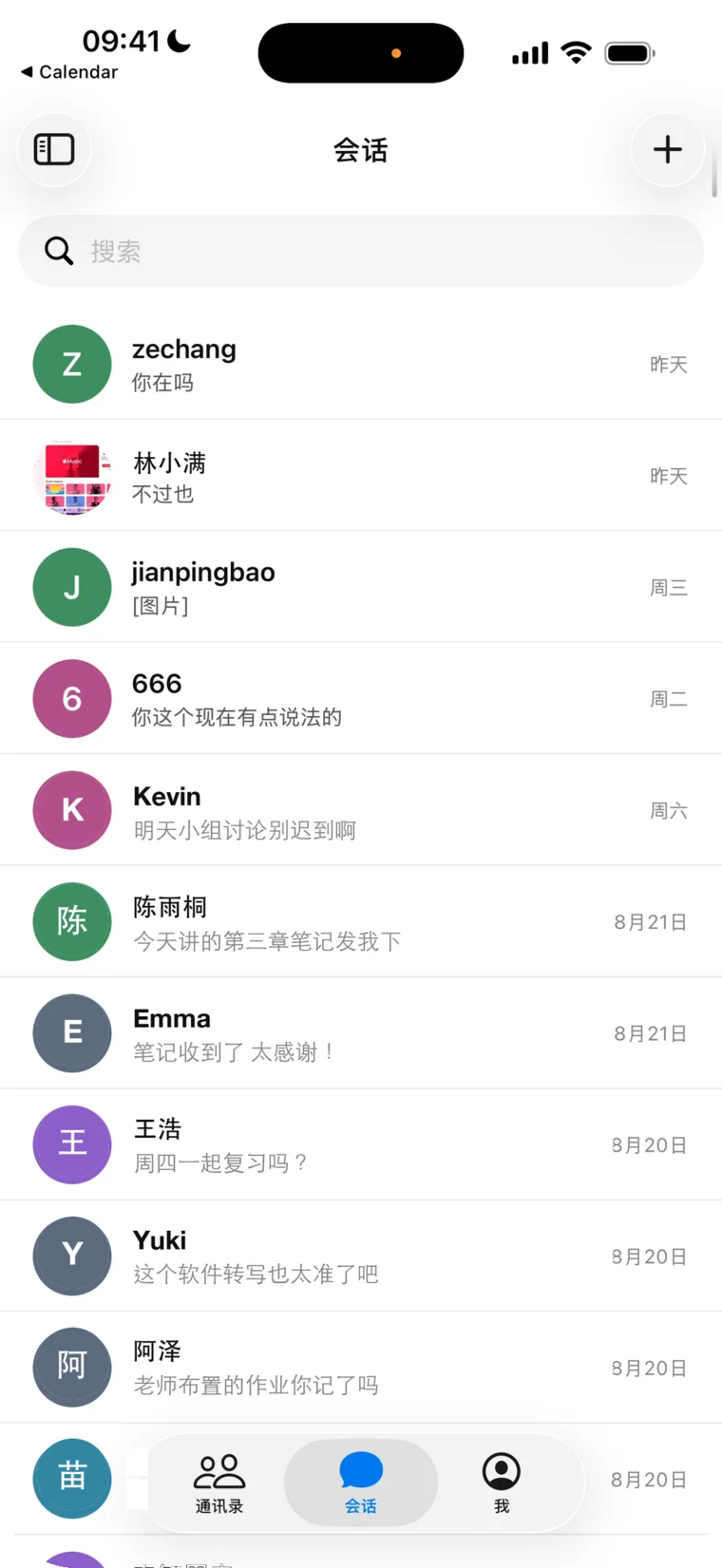
채팅, 통화, 녹음 공유까지 앱 안에서: 수업 녹음을 통째로 친구에게 보내고, 노트를 주고받고, 함께 복습하세요.
하나의 앱, 모든 기기에서. 모든 기능 무료.
매월 7시간 무료. 모든 기능을 사용할 수 있습니다.
같은 계정으로 로그인하면 모든 기기가 클라우드로 동기화됩니다. 한 기기에서 녹음하고, 다른 기기에서 다시 보세요.
네. 무료 요금제는 모든 기능과 함께 매월 7시간 녹음과 AI 사용 약 20회를 제공하며, 시작할 때 신용카드가 필요 없습니다. 더 필요하면 Pro로 매월 35시간 녹음에 AI 사용 약 100회($9.99/월 또는 3개월 $19.99), Max는 녹음과 AI 모두 상한 없이 $19.99/월 또는 3개월 $44.99. 질문은 1회, 복습 노트나 강의 분석은 3회로 계산합니다. 앱에서 언제든 해지할 수 있습니다.
60+개 언어를 자동 감지하여 전사 및 번역합니다 — 영어, 중국어(만다린 및 광둥어), 스페인어, 힌디어, 한국어, 일본어, 프랑스어, 독일어, 아랍어, 러시아어 등, 하나의 통합 실시간 음성 모델로 구동됩니다. BufferMind 앱 인터페이스는 현재 6개 언어로 제공됩니다.
Mac, iPhone, iPad 그리고 최신 브라우저면 어디서든 됩니다. Mac 앱은 macOS 14 이상이 필요하고(Apple Silicon·Intel 모두 지원), iPhone·iPad 앱은 iOS 16.2 이상과 중국 본토 외 지역의 App Store 계정이 필요합니다. Windows에는 프리뷰 데스크톱 앱(웹 앱의 가벼운 셸)이 있고, Android에서는 브라우저로 BufferMind를 열어 주세요. 같은 계정으로 로그인하면 세션이 모든 기기에서 자동으로 동기화됩니다.
네, Mac·iPhone·iPad·브라우저 모두 가능합니다. Mac 앱은 컴퓨터에서 재생 중인 소리를 직접 캡처하므로 Zoom이나 Google Meet 통화, 녹화 강의, 어떤 영상이든 마이크를 거치지 않고 전사됩니다. Chromium 기반 브라우저(Chrome, Edge)에서는 회의 탭을 선택하고 "탭 오디오도 공유"를 켜면 됩니다. iPhone과 iPad에서는 소스를 "시스템 오디오"로 바꾸고 iOS가 물으면 "방송 시작"을 탭하세요 — 다른 앱이 재생하는 소리가 그대로 녹음됩니다. 전화와 FaceTime 통화만은 iOS가 허용하지 않으니, 그때는 마이크로 두고 통화를 스피커폰으로 바꾸면 됩니다.
네. 실시간 전사와 번역은 오디오를 클라우드로 스트리밍하므로 안정적인 인터넷 연결이 필요합니다. 경량 모델이 성숙해지면 온디바이스 모드도 탐색할 예정입니다.
녹음과 AI는 서로 별개의 사용량이며 둘 다 매월 1일에 초기화됩니다 — 사이드바에서 두 줄 모두 볼 수 있습니다. 하나를 다 써도 이미 녹음한 내용은 그대로 남고 다른 하나는 계속 쓸 수 있습니다: 녹음 시간이 끝나도 Andy에게 물어볼 수 있고, AI 사용량이 끝나도 녹음은 됩니다. 초기화 전에 계속 쓰려면 Pro나 Max로 올리세요.
전사는 실시간 음성 모델로 동작하며, 억양이 있는 발화와 문장 중간에 언어를 바꿔 말하는 경우를 염두에 두고 만들어졌습니다. 과목별 용어 — 인명, 약어, 수식 — 는 해당 과목의 지식 베이스에 강의계획서, 필기, 용어집을 붙여 넣으면 BufferMind가 요약과 Andy의 답변에 그 맥락을 활용합니다.
모든 세션은 오디오·전사·번역이 서로 동기화된 상태로 저장됩니다 — 아무 줄이나 탭하면 그 순간으로 돌아갑니다. BufferMind가 세션마다 제목과 요약을 작성하고 과목별로 묶어 주며, Andy는 오간 내용에 대해 답해 줍니다. 전사본은 복사하거나 텍스트로 내보내 친구들과 공유할 수 있습니다.
네. 화자 식별을 켜면 BufferMind가 세션 내에서 '화자 1', '화자 2' 등으로 레이블링합니다. 음성 지문은 해당 세션 동안만 음성 인식 파트너가 처리하며, 저희는 저장하지 않습니다.
수업, 회의, 통화를 위한 실시간 자막, 번역, 노트.
무료로 시작, 매달 무료 크레딧 제공.
설치하지 않고 쓰고 싶다면? 브라우저에서 바로 사용하세요 — 같은 기능이고 macOS 13에서도 됩니다.
BufferMind
모든 플랜에 모든 기능이 포함됩니다. 차이는 월 녹음 시간과 AI 사용량뿐입니다. 월 단위로 구독하거나 학기 단위로 한 번에 결제할 수 있습니다.
수업이 많은 학기에 적합
언제든 앱에서 취소할 수 있습니다.
월 $6.66 꼴 — 33% 절약. 언제든 앱에서 취소.
Pro 시작하기수업과 회의가 가장 많은 경우에 적합
언제든 앱에서 취소할 수 있습니다.
월 $15.00 꼴 — 25% 절약. 언제든 앱에서 취소.
Max 시작하기무료 플랜에는 모든 기능이 포함되며, 매월 녹음과 AI 사용량이 제공되고 신용카드가 필요하지 않습니다. 무료로 시작. Max는 녹음과 Andy 모두 상한이 없는 플랜입니다.
모든 플랜의 기능은 같습니다. 매월 얼마나 녹음하고 Andy에게 얼마나 자주 묻는지에 따라 고르세요.
| 항목 | Free$0신용카드 불필요 | Pro$9.99 /월$19.99 /3개월언제든 취소 | Max$19.99 /월$44.99 /3개월언제든 취소 |
|---|---|---|---|
| 실시간 전사 및 번역 | 월 사용량 | 매월 35시간 | 상한 없음(공정 사용) |
| AI 사용(질문, 복습 노트, 강의 분석) | 월 사용량 | 매월 약 100회 | 무제한(공정 사용) |
| 추가 시간 팩 | 제공되지 않음 | $3.99에 10시간, 매월 최대 2팩 | 필요 없음 |
| 60개 이상 언어 자동 감지 | 포함 | 포함 | 포함 |
| Andy 복습 노트와 PDF 내보내기 | 포함 | 포함 | 포함 |
| iPhone, iPad, Mac, Windows, 웹 간 동기화 | 포함 | 포함 | 포함 |
이 웹사이트에서 구매한 플랜: 앱의 설정에서 「구독 관리」를 선택하세요. App Store에서 구매한 플랜: Apple 계정의 「구독」에서 취소하세요. 어느 쪽이든 취소하면 다음 결제가 중단되고, 현재 기간이 끝날 때까지 플랜이 유지됩니다.
이 웹사이트에서 구매한 플랜은 support@buffermind.com으로 알려 주세요. 모든 요청을 개별적으로 검토합니다. App Store에서 구매한 플랜은 저희가 아니라 Apple이 환불합니다. reportaproblem.apple.com에서 Apple에 환불을 요청하세요. 이용약관 §14를 참고하세요.
3개월 치를 한 번에 결제하며 월 결제보다 저렴합니다. 월 사용량은 월간 플랜과 같고 매월 초기화됩니다. 학기 플랜은 취소할 때까지 3개월마다 갱신됩니다.
이 웹사이트에서의 구매는 미국 달러로 청구되며, 카드사가 자체 환율로 환산합니다. App Store에서의 구매는 Apple이 현지 스토어 통화로 가격을 매기고 청구합니다.
네. 플랜은 계정에 속하므로 iPhone, iPad, Mac, Windows, 웹에서 동시에 적용됩니다. Mac 앱에서는 플랜을 판매하지 않습니다. 웹사이트에서 구매하면 Mac에도 적용됩니다. 플랜은 구매한 곳에서 관리하세요.
Pro 구독자는 앱의 설정에서 $3.99에 녹음 10시간을 추가할 수 있으며, 매월 최대 2팩까지 구매할 수 있습니다. 추가 시간은 만료되지 않고, 월 사용량을 다 쓴 뒤에 차감됩니다. 매달 그 이상이 필요하다면 Max에는 시간 상한이 없습니다.
ZCC Labs
BufferMind는 제2언어로 생활하고, 공부하고, 일하는 모든 사람을 위한 AI 번역 코파일럿입니다.
제2언어로 하루를 보내 보면 그 느낌을 압니다. 무언가를 듣고 나서 대답할 준비가 되기까지의 그 틈. 아직 지난 문장을 번역하고 있는데 교실의 화제는 이미 저만치 가 있죠. 그 틈이 바로 buffer이고, 유학생이라면 누구나 뼈저리게 알고 있습니다.
BufferMind는 그 틈을 없애기 위해 태어났습니다. 실시간 자막과 번역이 현장의 속도를 따라가게 해 주고, 노트 옆의 AI 코파일럿 Andy가 놓친 내용을 정리해 자신 있게 말할 수 있도록 도와줍니다. 공부 요령이 아니라, 우리가 수업 시간에 간절히 바랐던 바로 그 도구입니다.
BufferMind는 매주 업데이트를 내놓는 작은 팀 ZCC Labs LLC가 만듭니다. 작기에 빠릅니다. 학생들의 피드백이 분기가 아니라 며칠 안에 앱에 반영됩니다. 최고의 도구는 「사라지는」 도구라고 믿습니다. 방해되지 않게 물러나, 지금 이 순간의 강의실에 집중하게 해 주는 것.